

Yesterday, I was working on a blog post called 11 Ideas for promoting your new book. I knew what I wanted for a header picture, but I didn’t feel like getting cleaned up, dressed up, and going out to stage the shot. It was a Saturday, and I’d much prefer to spend the day relaxing at home.
So I turned to (caution: trigger word approaching) artificial intelligence. I’m not a big fan of AI as a writer’s tool, but for a quick ‘n dirty header picture for a blog post, I’m okay with it.
To clarify, I would not use an AI tool instead of paying an artist. As someone whose income has depended on copyrights for many years, I’d rather support the artist. I don’t, however, have the budget to pay for custom art on every single blog post I write. This is just for fun.
Back to the topic, the results of my little experiment were funny enough that I decided to share.
I started out with the first AI image generator I ever used: Meta AI, from Facebook’s parent company. I presented it with a fairly straightforward prompt:
Draw me a realistic image of a well-dressed man standing on a street corner selling copies of his book. He’s holding a book above his head with one hand, showing the cover. He’s pointing at the book with his other hand.
I expected something that looked like an author hawking books on a street corner. Here are the four images I got:

I like the floating books and floating newspapers. Count the fingers on the man in the lower left picture. And you’ve got to love the three-armed man pointing at Superman!
I took another few tries and decided to give up on Meta and move on to Adobe Firefly. Adobe, of course, is positioning themselves as a leader in AI image generation, so I expected something better from them. The same prompt gave me these four pictures:

Well, at least they only have two arms each, but none of them are pointing at the book, and once again we have some really messed-up hands. I also got a big kick out of the “book hat” on the guy at top left. The books are seriously screwed up, too. And, incidentally, none of them are standing on a street corner as requested. They’re all in the middle of the street.
Again, I took a couple more tries and gave up. Next, I took that same prompt to ChatGPT. I didn’t have high expectations because of the name. I mean, it’s not ImageGPT, after all. Unlike the previous two platforms, ChatGPT only gave me one image instead of four. And here it is:
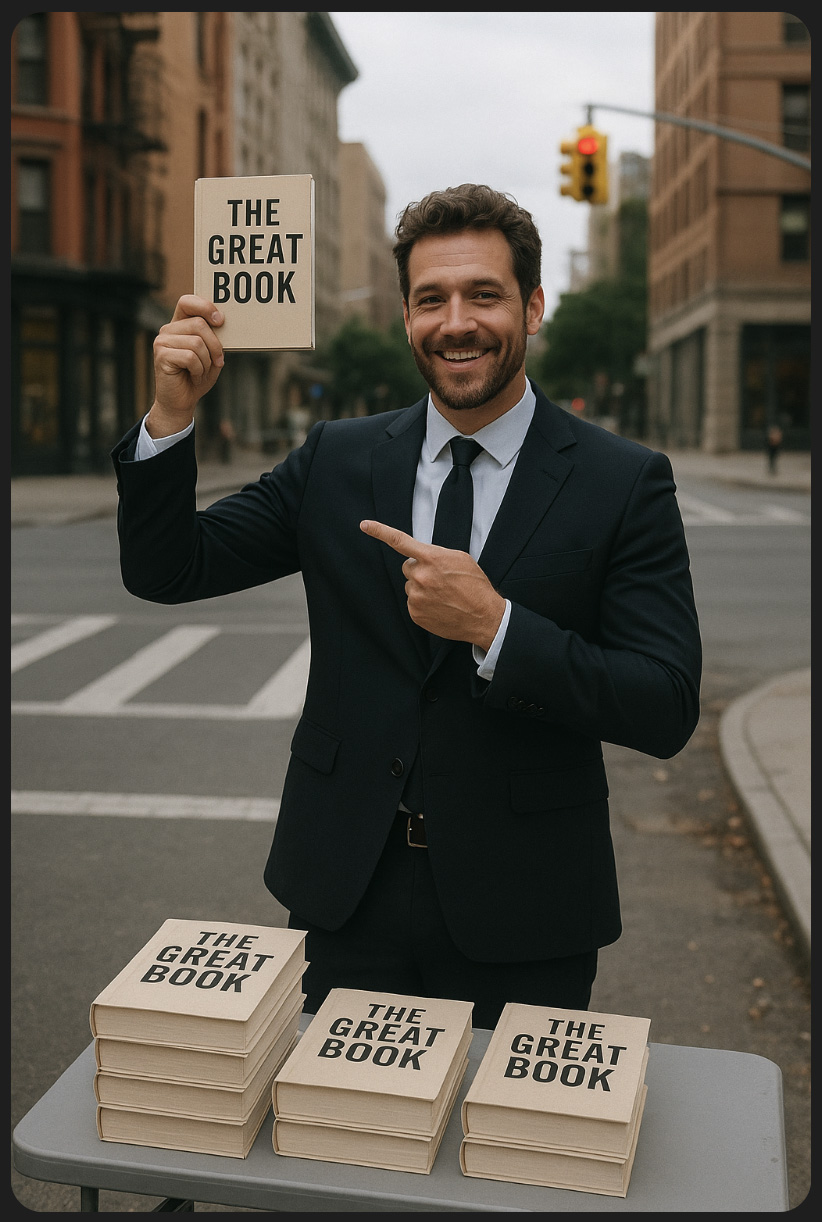
That’s almost exactly what I wanted! Two arms with five fingers on each, and he’s at least pointing in the general direction of the book. I told ChatGPT, “Make the image square and change the book title to My Great Book,” and all I had to do was Photoshop in the headline text that I wanted.

AI image generation has come a long way since I started using it a couple of years ago, but it still has quite a way to go. All in all, though, I’m pretty impressed with this experiment.
 Gary D. Robson